Promote more business by offering discount codes for your calculator forms
How it works
The coupon will apply a dollar or percentage discount off the total price at the entire calculator level (not subsection level).
If you want to apply a discount at the subsection level, you can use the Fee & Discount Adjuster element, or Fee & DiscountAdjuster with conditional logic, to achieve this.
Table of Contents
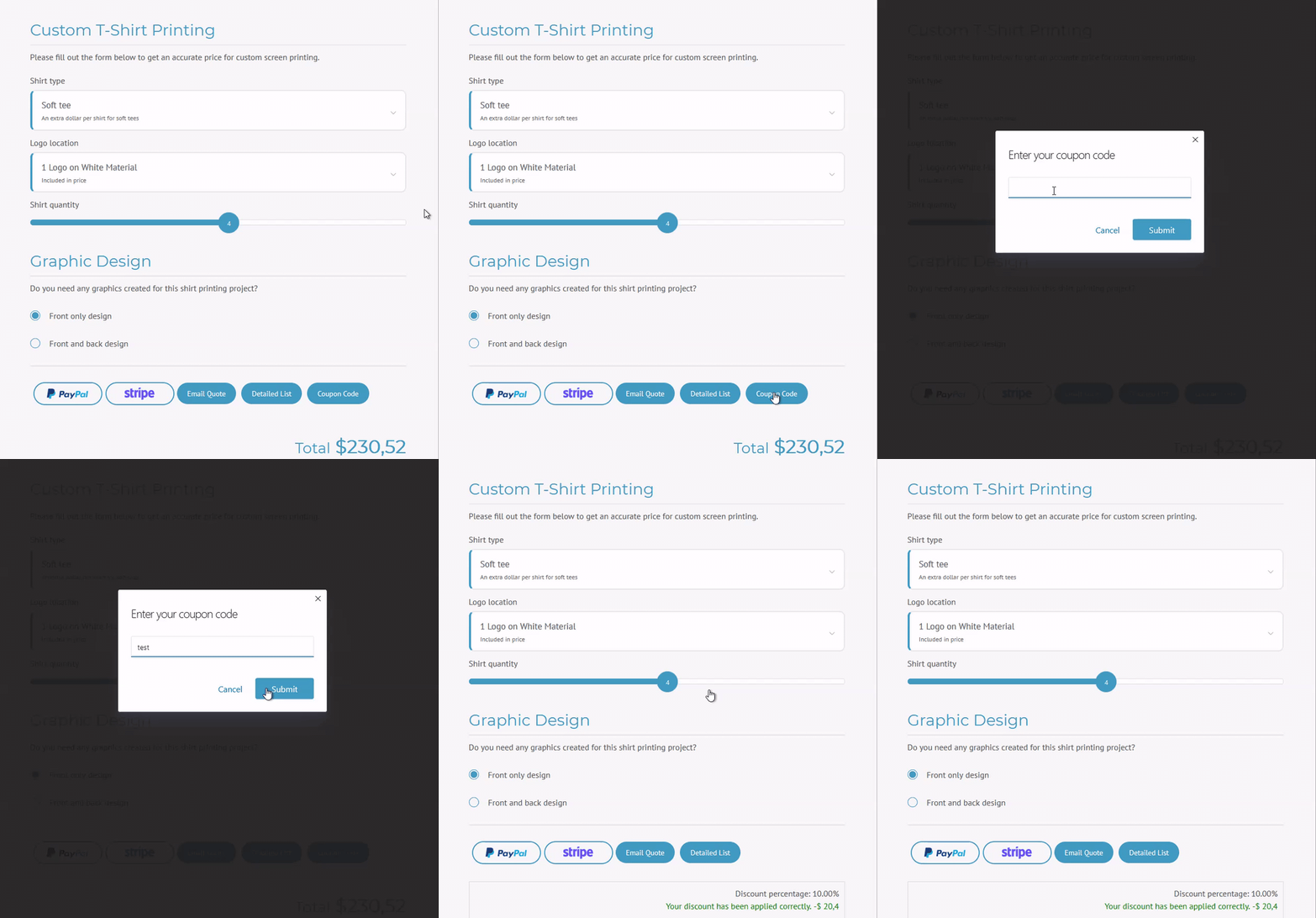
What does it look like?
Backend:
Frontend:
What are some Use Cases?
Free shipping discount code
Give free shipping to your customers to increase sales and be competitive.
Create Scarcity
Apply an expiration date to the coupon code to add scarcity and entice people to purchase sooner than later.
Affiliate marketing
Grow your business by giving coupon codes to affiliate marketers with a special discount for your business, then you can track who came in from each marketer by knowing which coupon code was used.
Clearance
Clear-out weak and slow-selling inventory by applying a discount code on calculators that contain products you want to clear out.
How It Works
How to Activate & Use This Feature
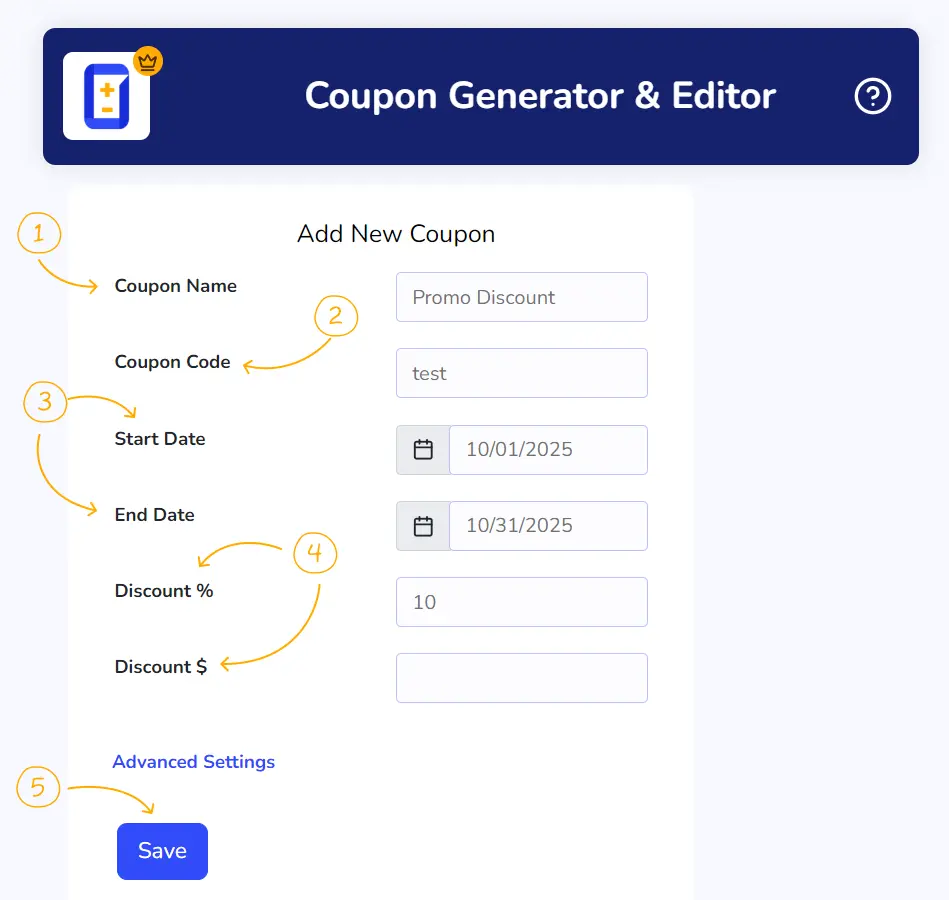
You can create and manage your Coupon Codes by navigating to Stylish Cost Calculator -> Coupon Codes.
1. Coupon Name: This is the name of your promotion. For example: “April 10% Off”.
2. Coupon Code:This is the code your customers will use to redeem their discounts. For example “May4thBWU”.
3. Start and End Dates: Set the Start and End dates of your promotion. Your customers will be able to redeem their codes just within these dates.
4. Discounts: You can set your discounts in percentages or fixed quantities.
5. Save: Click on Save to generate to Coupon Code.
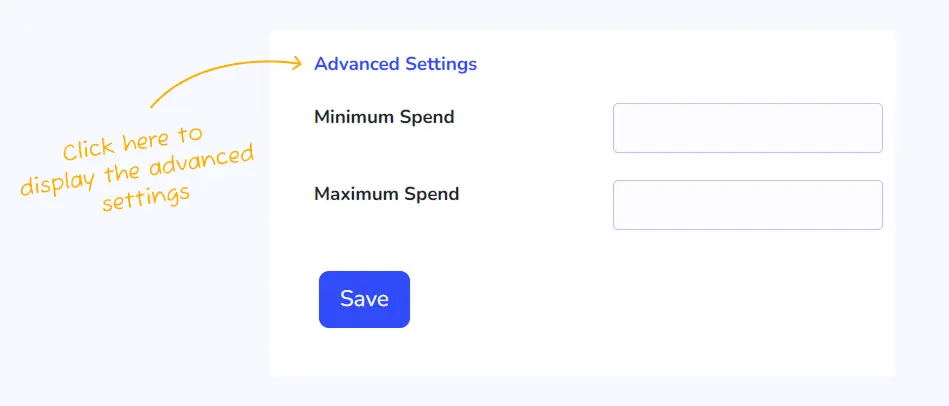
Advanced Settings
With the advanced settings, you can set the minimum or maximum spend a customer needs to meet to redeem the Coupon Code.
Additional Information
What it can do?
The coupon will apply a dollar or percentage discount off the total price at the entire calculator level (not subsection level).
What it cannot do?
Only works at the calculator level.
Doesn’t target a specific situation. For example, if this product was selected then discount 10%.
You can use the Fee & Discount Adjuster element with conditional logic to achieve this. Watch a video here.